Kanban app, Connect your AI assistant
Tackpad
- Client
- Our own product
- Platforms
- iPhone · iPad · Mac
- Works with
- Claude, Cursor and other AI assistants
- Status
- On the App Store
Overview
A kanban board you can arrange entirely with your AI assistant.
Connect your AI assistant
Connect Claude, Cursor or another AI assistant on your computer with a pairing code from the app, then arrange everything with it while you work: it creates boards, adds, moves and links cards, writes tasks and notes, and sets deadlines. Every change shows up on your phone. Nothing leaves your devices until you tap Connect, and Disconnect deletes the server's copy.
The board
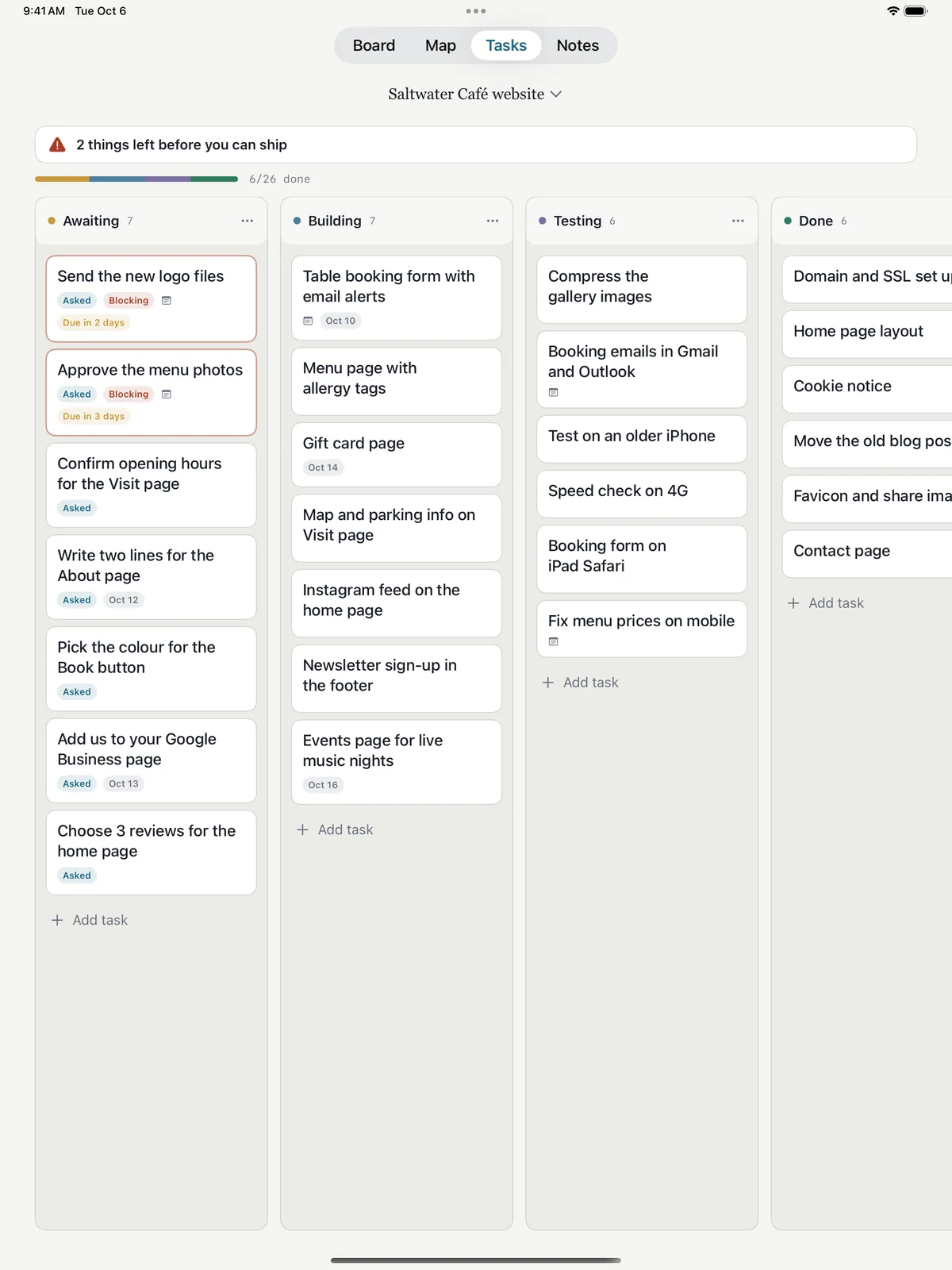
Cards move through stages you name, one project at a time. Four screens show the same project: the board, a map of how the cards connect, the tasks still blocking launch, and the questions you're waiting on your client for.
Your boards, your iCloud
There is no account to make. Boards sync through your own iCloud, so your iPhone, iPad and Mac show the same ones, and a client can open a board you share in any browser and answer your questions there.
What's inside
- Connect your AI assistant and arrange everything with it
- Board, map, tasks and notes in one app
- Deadlines, with everything due soon across all boards
- Share a board with a client by private link
- Pro subscription through the App Store